How to keep a brag document engineers actually use
Most brag documents die by February. Not because the idea is bad, but because the work that matters most is the work that leaves no trace, and writing it down feels like a chore. Here is a format and a habit that survive a busy year.
What a brag document is
A brag document is a private, running list of what you did and what it changed. Julia Evans popularised the idea for a reason many engineers share: at review time you can't remember the last six months. The document is your evidence for a self-review, a promotion case, a 1:1, or a resume update.
Why it fails for senior engineers
Commits, PRs and tickets already record themselves, so you can reconstruct them later. What you cannot reconstruct is:
- the conversation that unblocked another team,
- the review comment that changed a design,
- the risk you flagged early and the incident that therefore never happened,
- the person you mentored through a hard quarter.
At senior level and above, this is a large part of the job, and it is exactly what a "list of things I shipped" misses. A brag document that only mirrors git is a worse version of git.
An entry format that takes under a minute
Keep each entry to when, what, and so what. If you can add a link, do. If you can't yet, don't block on it.
### 2026-10-02 · #unblocking

Paired with Ana on the flaky checkout test. Found a race in the
mock server; her team's release no longer waits on a retry loop.
(PR #4821)
A handful of categories is enough, and they should mirror how you're evaluated: unblocking others, influence on decisions, mentoring, risks spotted, delivery. Tagging at capture time makes the end-of-year grouping nearly free.
Capture at natural breaks, not at the end of the week
The weekly "I'll write it up on Friday" ritual fails because by Friday the small things are gone. Two moments work better:
- When you come back from time away (lunch, a meeting block, a walk). You just talked to people, so ask yourself: did anything work-related happen?
- End of day. One question, one sentence.
Never mid-flow. Interrupting deep work to log a win makes you resent the log.
Use plain text you own
One Markdown file per day, in a folder you control, outlives any app and any employer's tooling. You can grep it, sync it, put it in a private git repo, or hand the folder to an AI tool. A folder of dated files also makes "show me March to June" trivial.
A monthly 15-minute pass
Once a month, read the entries and add what you didn't know at the time: the outcome, the metric, the link, the kind word from a stakeholder. The note "migrated the job runner" becomes "migrated the job runner; p95 build time dropped from 14 to 9 minutes."
From log to self-review
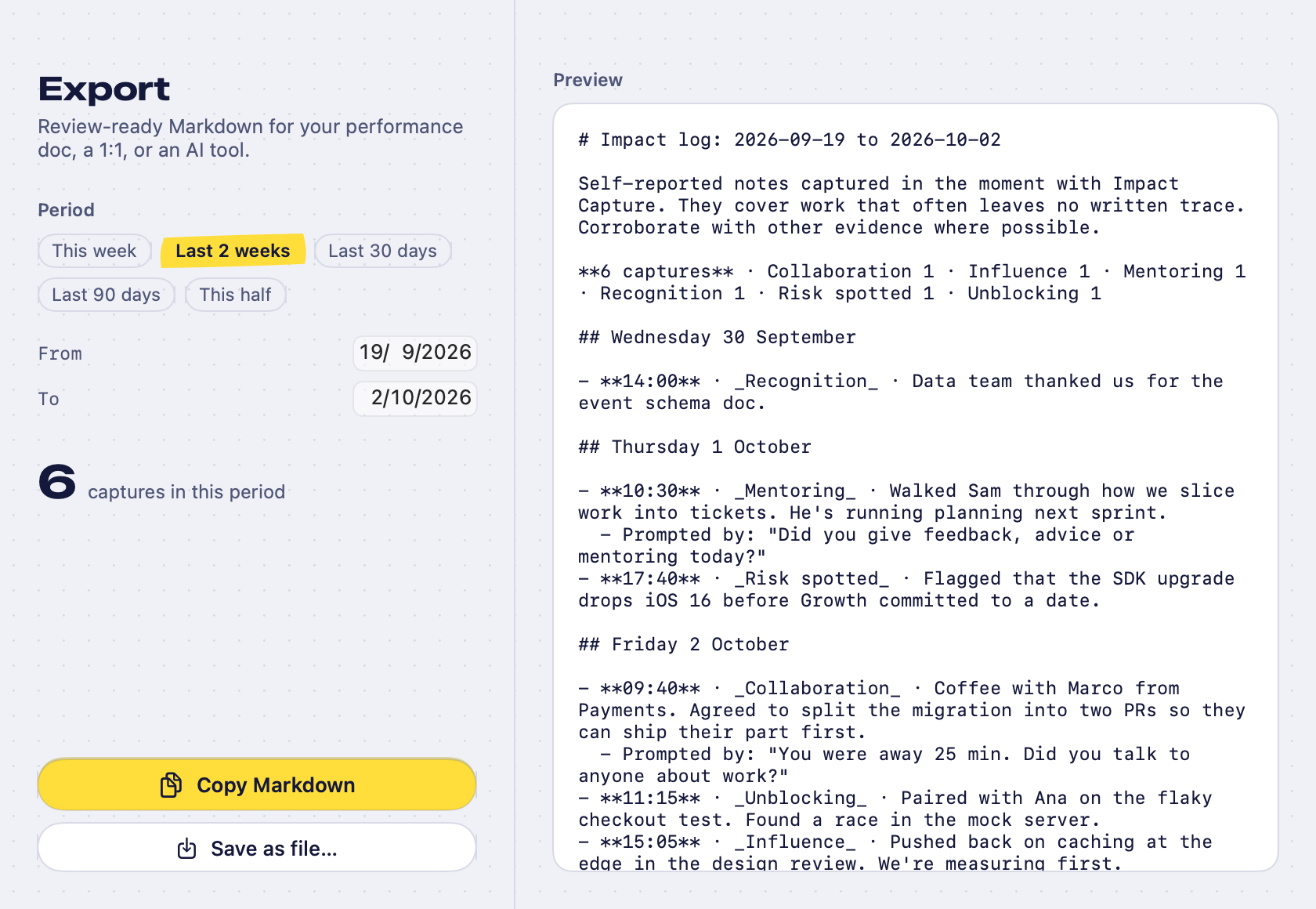
- Export the review period as one Markdown document.
- Group by category, then pick the three to five themes that match your level's expectations.
- For each theme keep the two or three entries with the strongest evidence.
- Write the narrative yourself, then use an AI assistant to tighten it. AI only organises what you give it, so the specifics must already be in the log. Check your employer's policy before pasting internal details into a public tool.
It is a free, open source macOS menu bar app that asks at natural breaks, takes a typed or spoken sentence, and writes dated Markdown files to a folder you pick. Nothing leaves your Mac.
brew install --cask frugoman/tap/impact-capture
See how it works · Download
FAQ
What is a brag document?
A running, private log of your accomplishments at work, kept so reviews and promotions rest on evidence instead of memory.
How often should I update it?
Capture within a day, in under a minute. Add outcomes and links in a short monthly pass.
Can AI write my self-review from it?
It can draft and tighten, but only from specifics you logged. Rewrite in your own voice.
Related: Performance review accomplishments: examples for engineers.